
Open a new conversation with any AI assistant. Ask it to add a feature to your project. Watch what happens.
It will guess your framework. It will assume your package manager. It will suggest patterns that contradict your architecture. It will use naming conventions from its training data instead of yours. If you are lucky, the code runs. If you are unlucky, it introduces a dependency you explicitly avoided or a pattern you spent last quarter migrating away from.
This is not an AI problem. It is a context problem. The model is capable. It just does not know anything about your project. Every conversation starts from zero, and you pay the cost every single time.
Context files fix this. They are the foundation layer that every skill in your workflow depends on.
The Cost of Missing Context
Consider what happens when you ask an AI to “add a caching layer to the API” without context:
- It does not know you use FastAPI, so it suggests Express middleware
- It does not know you are on Redis 7, so it suggests an older API
- It does not know your team banned unsafe serialization for security reasons
- It does not know you have an existing
CacheServiceabstraction to extend - It does not know your tests require real Redis, not mocks
You correct each assumption one at a time. Five corrections, five round trips, five minutes of friction. Multiply this by every task, every day, every team member. The cumulative cost is staggering — not because any single correction is expensive, but because the pattern never stops repeating.
Context files eliminate this entire class of friction. Instead of correcting the AI after the fact, you inform it before it starts.
What Goes in a Context File
A context file is a document — typically Markdown — that lives in your repository and describes your project to AI tools. Different tools call this different things (project instructions, rules files, system prompts), but the concept is universal. The file answers the questions the AI would otherwise guess wrong.
The Four Layers of Context
Structure your context in four layers, from most stable to most volatile:
Layer 1: Technology Stack (changes rarely)
This is the bedrock. Framework versions, language versions, locked dependencies, deployment targets. These facts change once a quarter at most, and getting them wrong cascades into everything.
## Technology Stack
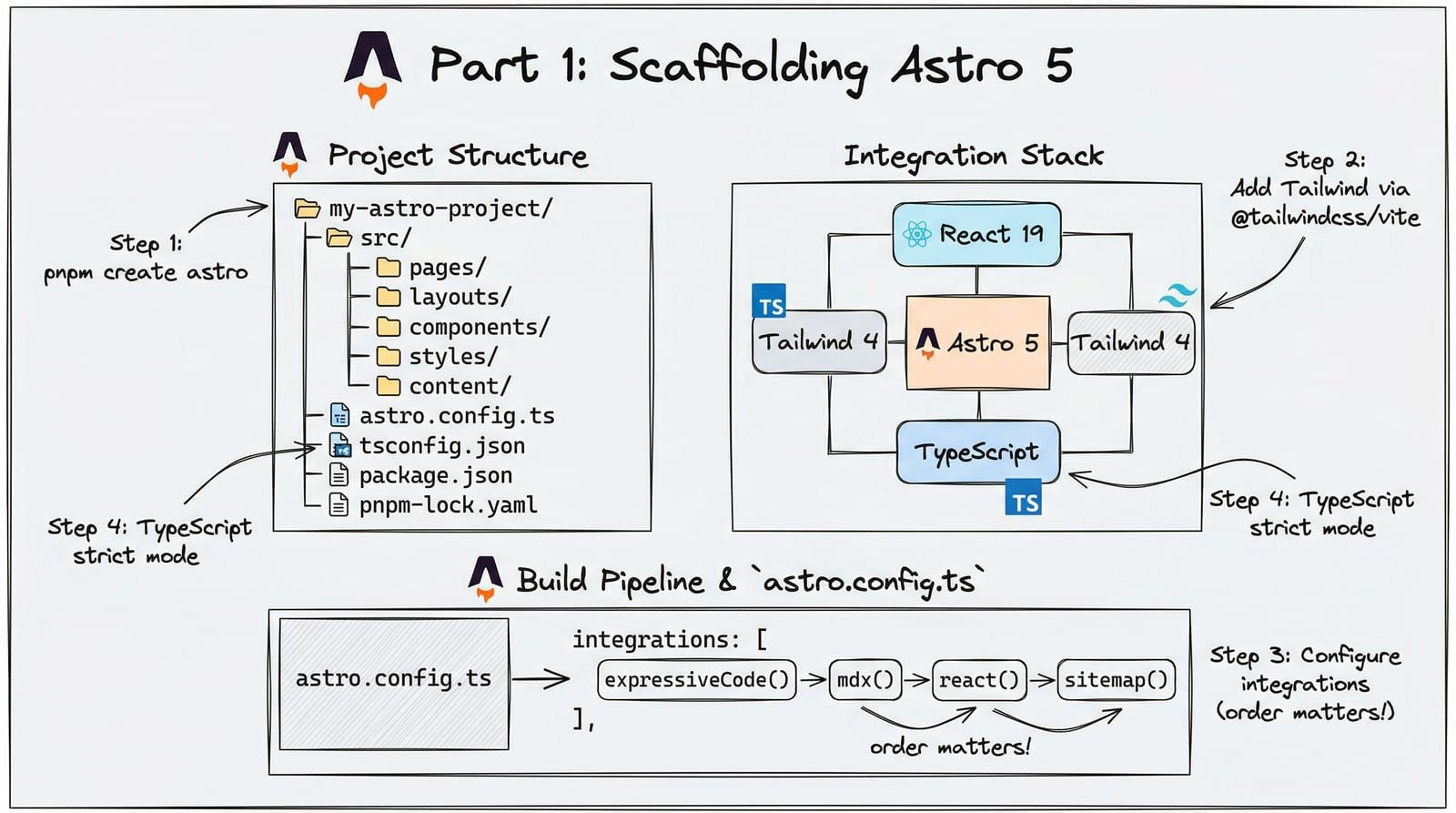
- **Framework**: Astro 5.x with React 19 islands- **Language**: TypeScript 5.9 (strict mode)- **Styling**: Tailwind CSS 4 via @tailwindcss/vite (NOT @astrojs/tailwind)- **Package manager**: pnpm (locked)- **Deployment**: Cloudflare Pages via GitHub Actions- **Node version**: 22 LTS
Notice what this prevents: the AI will not suggest npm commands, will not use Tailwind 3 configuration syntax, will not recommend a Vercel deployment, and will not generate tsconfig settings incompatible with TypeScript 5.9. Every one of those is a real mistake that happens without context.
Layer 2: Architecture and Conventions (changes occasionally)
How your project is structured. Naming patterns. File organization. The decisions that shape how code gets written.
## Conventions
- Static components: .astro files (zero JavaScript)- Interactive islands: .tsx React files with explicit hydration directives- Content: MDX files in src/content/blog/ with Zod schema validation- CSS: Single global.css import, CSS variables for all tokens, no hardcoded hex- Dark mode: [data-theme="dark"] selector, components use CSS variables that auto-flip
This layer prevents structural mistakes. The AI will not create a .jsx file when your project uses .tsx. It will not add inline styles when you use CSS variables. It will not put a component in lib/ when your convention is components/.
Layer 3: Constraints and Anti-Patterns (changes when you learn from mistakes)
What the AI must not do. This is arguably the most valuable layer because it prevents the mistakes you have already made and fixed.
## What NOT to Do
| Avoid | Why | Use Instead ||---|---|---|| @astrojs/tailwind | Tailwind v3 only | @tailwindcss/vite || client:load directive | Banned — ships unnecessary JS | client:visible or client:idle || process.env on Cloudflare | Does not exist on Workers | Astro.locals.runtime.env || lottie-web | 250KB bundle | @lottiefiles/dotlottie-react || Client-side Mermaid | ~1MB JS | Build-time rehype-mermaid |
Every row in this table represents a mistake someone already made. Without this context, the AI will cheerfully suggest process.env.API_KEY on Cloudflare and you will spend twenty minutes debugging why it is undefined in production. The constraint table compresses institutional knowledge into a format the AI can use.
Layer 4: Current State and Active Work (changes frequently)
What is happening right now. Active branches, ongoing migrations, temporary workarounds. This layer is the most volatile and the most often neglected.
## Current State
- Migration from REST to GraphQL in progress — new endpoints use GraphQL, legacy uses REST- Authentication middleware rewrite for compliance (do NOT modify auth until PR #234 merges)- Performance budget: < 10KB JS on non-interactive pages, Lighthouse 100/100/100/100
This layer prevents the AI from stepping on active work. It will not refactor the auth middleware you are about to replace. It will not add a REST endpoint when the project is migrating to GraphQL.
Where Context Files Live
Most AI development tools look for context in specific locations:
project-root/├── .claude/ # Claude Code project instructions├── .cursorrules # Cursor rules├── .github/copilot/ # GitHub Copilot instructions├── CLAUDE.md # Claude Code (also project root)├── .windsurfrules # Windsurf rules└── ...The file name varies by tool, but the content is the same: structured information about your project that the AI reads before every interaction.
Put context where the tool expects it. If you use multiple AI tools, maintain a canonical context document and generate tool-specific files from it. Do not let context drift between tools — one source of truth, multiple outputs.
Writing Effective Context
Not all context is equally useful. Three principles separate good context files from noise:
Principle 1: Be Prescriptive, Not Descriptive
Weak context describes what exists. Strong context prescribes what to do.
# Weak — descriptiveWe have a components directory with Astro and React files.
# Strong — prescriptiveStatic components: .astro files in src/components/ with <slot /> for children. Zero JavaScript.Interactive components: .tsx files. Must use client:visible or client:idle hydration.client:load is BANNED except for ThemeToggle.
The first version tells the AI what is there. The second tells it what to do — and what not to do. The AI can act on prescriptions. It can only acknowledge descriptions.
Principle 2: Include the “Why”
When you state a constraint without explaining why, the AI follows it rigidly in obvious cases and ignores it in ambiguous ones. The “why” lets the AI make judgment calls.
# Without whyDo not use process.env.
# With whyDo not use process.env — the runtime is Cloudflare Workers (workerd), which does notsupport Node's process global. Use Astro.locals.runtime.env to access bindings.
With the reason, the AI understands the constraint is about the runtime, not a stylistic preference. If it encounters a build script (which runs on Node, not Workers), it knows process.env is fine there.
Principle 3: Version Your Context
Context files live in your repository. They are code. Treat them that way:
- Review changes in PRs. A wrong constraint in your context file will produce wrong code across every AI interaction until someone notices.
- Update when decisions change. Stale context is worse than no context — it actively misleads.
- Keep it lean. A 500-line context file is not more helpful than a 100-line one. The AI has to parse all of it. Signal-to-noise matters.
Context Inheritance and Scoping
Large projects benefit from layered context that narrows as you go deeper:
project-root/├── CLAUDE.md # Project-wide: stack, deployment, global conventions├── src/│ ├── CLAUDE.md # Source-specific: component patterns, import rules│ ├── components/│ │ └── CLAUDE.md # Component-specific: naming, prop patterns, accessibility│ └── pages/│ └── CLAUDE.md # Page-specific: routing, layout, data loading patternsEach level inherits from its parent and adds specifics. The root file says “we use Tailwind 4.” The components file says “components use CSS variables from the design token system, never arbitrary Tailwind values.” The pages file says “pages import BaseLayout and pass title and description props.”
This mirrors how human teams work. New engineers learn the broad strokes first, then the specifics of the area they work in. Your context files should teach the AI the same way.
The Compound Effect
A single context file does not feel transformative. You save a few corrections per conversation. Barely noticeable.
But context compounds. Every skill you build later in this series — code review, debugging, blog writing, deployment — reads the same context file. The code review skill knows your banned patterns. The debugging skill knows your deployment target. The blog writing skill knows your content schema.
One well-maintained context file improves every AI interaction in your project. It is the highest-leverage file in your repository that no user will ever see.
This is why context is the skill. Before you write a single specialized workflow, before you chain skills together, before you build automation — get your context right. Everything else builds on this foundation.
Practical Exercise
Take fifteen minutes and write a context file for your current project. Start with these four sections:
- Stack — Framework, language, key dependencies with versions
- Conventions — File organization, naming patterns, import rules
- Constraints — What not to do and why (check your last 5 bug fixes for ideas)
- Current state — Active migrations, temporary workarounds, things not to touch
Put it where your AI tool expects it. Use it for a day. Then come back and add the constraints you wish you had included from the start.
In Part 3, we dissect the anatomy of a skill — how triggers, prompts, and references combine into workflows that produce consistent, high-quality results every time they run.